
Turn spreadsheet rows into Google Calendar events. Reliably.
Calendrow is a Google Sheets add-on for schedules you already keep in a sheet: shifts, classes, events, jobs, deadlines. Preview first, sync once, and re-sync any time without duplicates.
Launching on the Google Workspace Marketplace in November 2026.
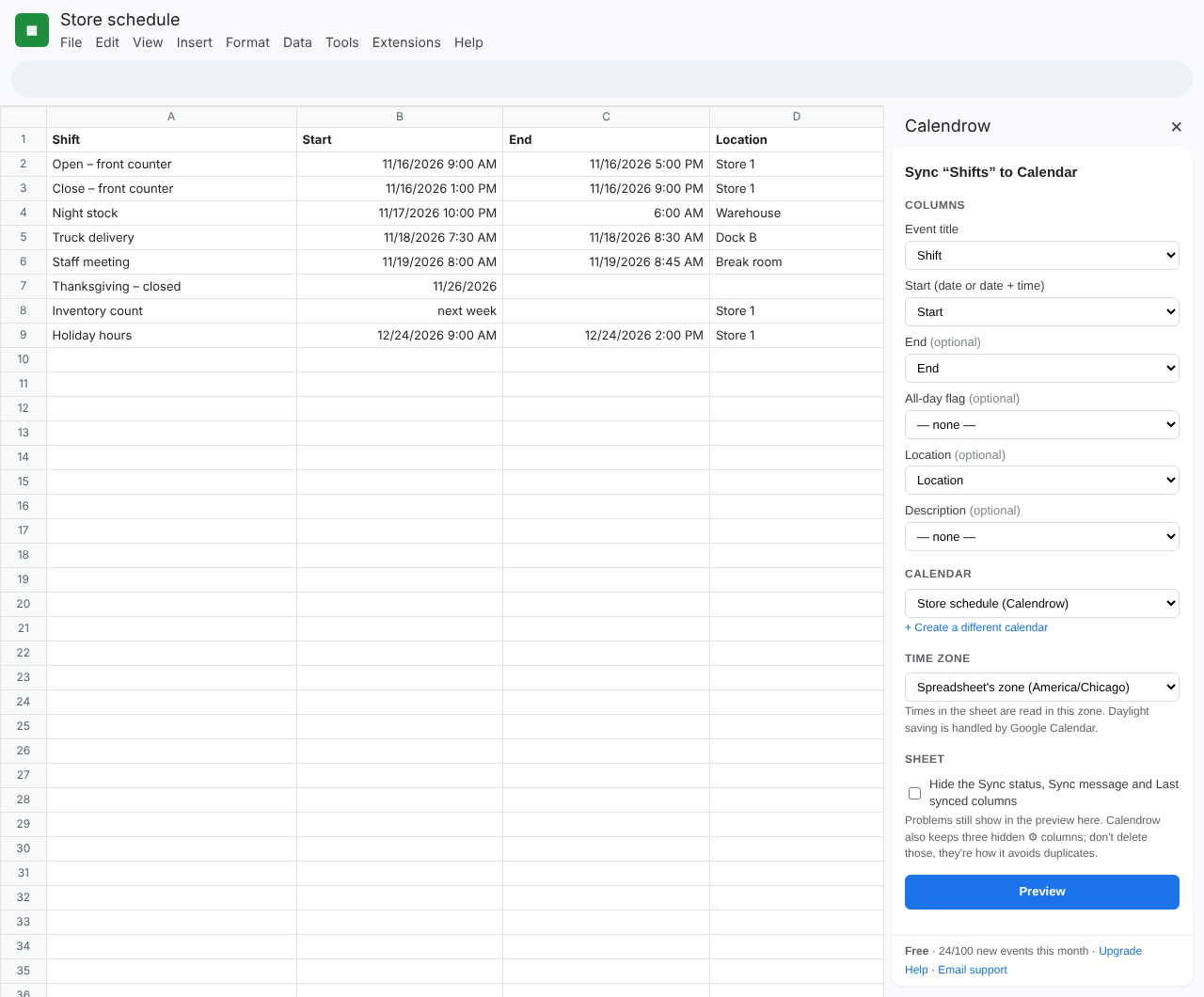
What you'll see in Google Sheets
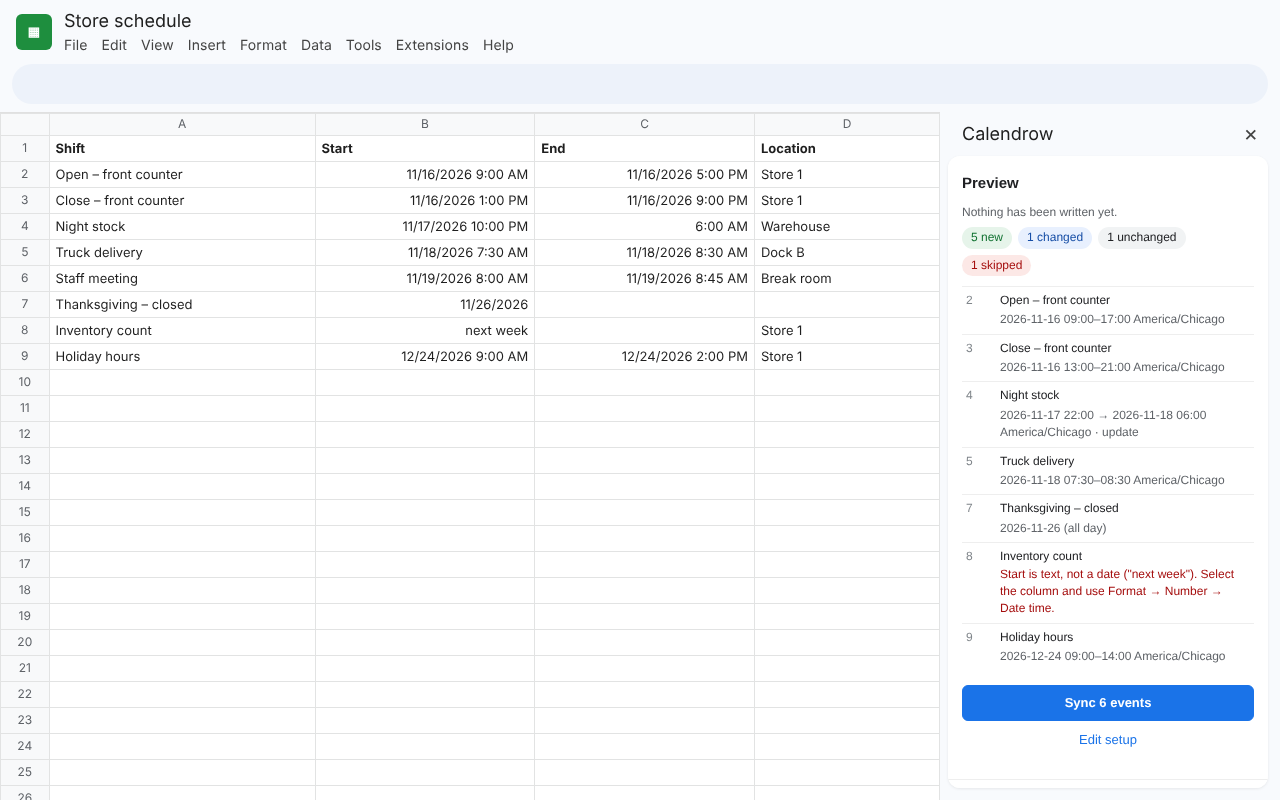
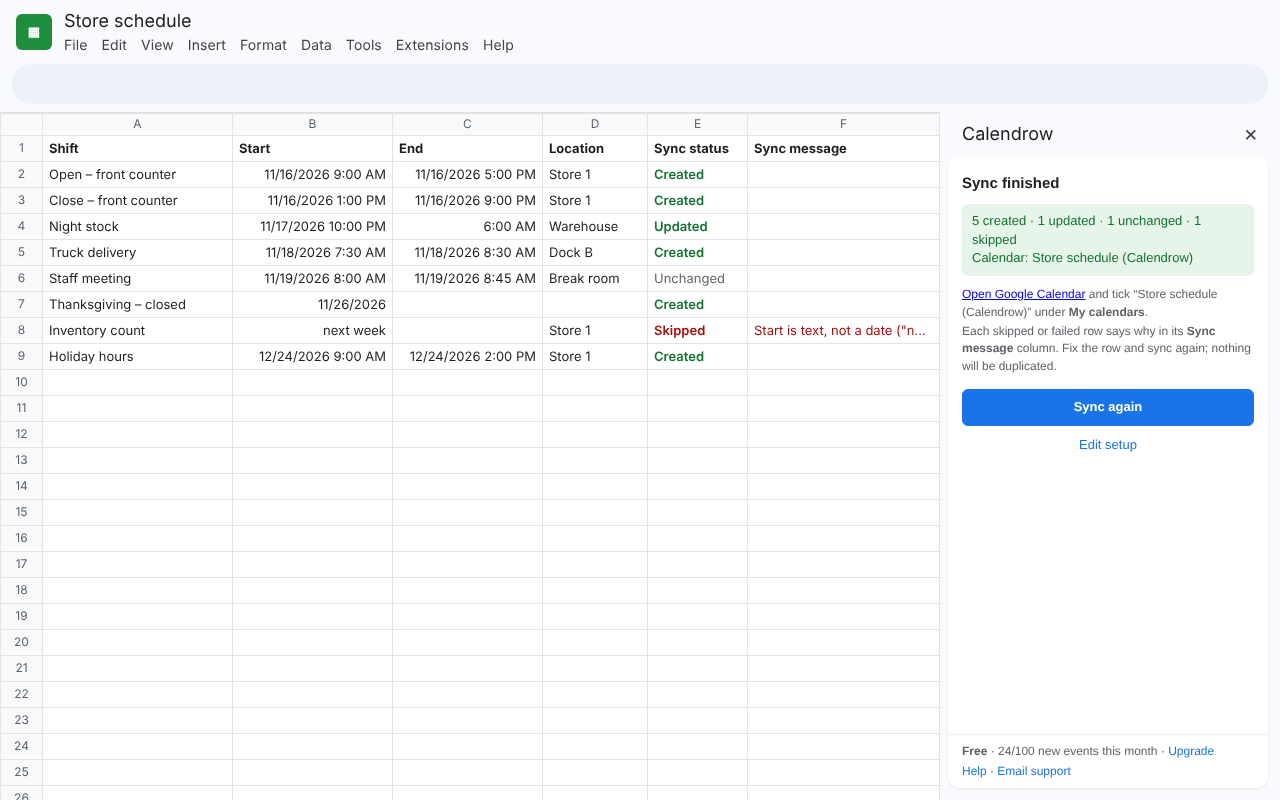
What it fixes
Moving a schedule from a sheet into Calendar sounds simple. These are the problems people run into, and how Calendrow handles each one.
How it works
Pick your columns
Open Calendrow from Extensions. It guesses which columns are the title, start, end and location from your headers. Change anything you like.
Preview
See exactly what will be created, updated or skipped, and why, before a single event is written.
Sync
Events appear in a calendar Calendrow creates for you, ready to share with your team. Edit the sheet and sync again whenever it changes.
What your sheet looks like after a sync
| Shift | Start | End | Sync status | Sync message |
|---|---|---|---|---|
| Open | 11/16 9:00 AM | 5:00 PM | Created | |
| Close | 11/16 1:00 PM | 9:00 PM | Updated | |
| Night | 11/17 10:00 PM | 6:00 AM | Unchanged | |
| Inventory | next week | Skipped | Start is text, not a date. Use Format → Number → Date time. |
Prefer a clean sheet? You can hide the status columns in setup. Problems still show in the preview.
Built for schedules people actually keep in Sheets
- Shift and rota schedules for stores, restaurants and clinics
- Class and course timetables
- Event and venue calendars
- Field-service and installation jobs
- Content calendars and project deadlines
Your data stays in your Google account
Calendrow runs inside Google Sheets under your own account. Your spreadsheet and calendar data are not sent to Calendrow servers. It only works with the spreadsheet you open it in and the calendars it creates. Read the privacy policy.
Questions
Is it free?
Yes. The free plan creates up to 100 new events per month, with preview, status columns and unlimited updates to existing events. Pro adds unlimited events and automation. See pricing.
Which calendar do events go to?
On the free plan, Calendrow creates a dedicated calendar for your sheet, for example "Store schedule (Calendrow)". You can share it with your team or show it next to your other calendars. Syncing to calendars you already own is coming with Pro.
What happens if I sort or edit the sheet?
Each row keeps its link to its event, so sorting, inserting rows or adding columns won't create duplicates. Changed rows are updated on the next sync.
Does it work with dates like "11/16/2026 9:00 AM"?
Yes, as long as Sheets recognizes them as dates (they line up on the right side of the cell). If a date is stored as text, the preview tells you how to fix it.
Does it send invitations to guests?
No. Calendrow never emails anyone on your behalf.